Latest Crypto Wallet Hardware Review: Cheapest, Most Secure Cold Wallets Ranked for 2025/2026

Why does crypto wallet hardware still matter in 2025/2026?
The short answer is that it is one of the most secure ways to store crypto assets. Hackers are getting creative each day in targeting wallets online. By storing your assets in a crypto wallet hardware, you make it almost impossible for anyone to access your crypto remotely.
That said, crypto wallet hardware costs money. However, you don’t have to break the bank to get a good hardware wallet. In this article, we will show you the cheapest yet reliable crypto wallet devices on the market.

Table of Contents
- What Is Crypto Wallet Hardware?
- The Top 10 Affordable, Most Secure Crypto Wallet Hardware Options
- How to Choose the Best Crypto Cold Storage Devices
- Final Verdict: Picking the Right Cold Storage for You
- FAQs on Crypto Wallet Hardware
- Sources
- How to Trade Crypto on BTCC?
- BTCC FAQs
/ You can claim a welcome reward of up to 10,055 USDT🎁\
What Is Crypto Wallet Hardware?
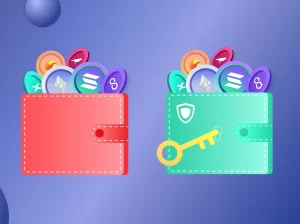
A crypto wallet hardware is a physical device that you use to store your private keys. It is this private key that gives you (or anyone who gets it) total control over your assets. With a good crypto wallet device, you can make transactions without having to expose your secret keys to the internet.
What about “hot” wallets?
Hot wallets are online wallets. You create them by signing up on an app or an exchange. While they are easy to access and manage, they are also vulnerable to hacks. For this reason, experts recommend that you at the very least store most of your assets in cold wallets.
In this article, we will show you the best crypto wallet hardware options for various price ranges without sacrificing security and privacy.
The Top 10 Affordable, Most Secure Crypto Wallet Hardware Options
We include the cheapest options for those on a budget, mid-range options for those with extra funds, and top-priced options for those who want the best cold wallet for crypto. Note that the prices here are advisory only and may not reflect current market conditions.
- Trezor Model One (~$49)
The Trezor Model One uses open-source software and has been independently audited by experts. It supports major cryptocurrencies like Bitcoin, Ethereum, and ERC-20 tokens. However, support for some altcoins like ADA may need third-party integrations. You use it by connecting it via USB to the Trezor Suite desktop app on your computer.
Pros:
- Fully open-source firmware and hardware
- Excellent, easy-to-use Trezor Suite desktop app
- Transparent and highly audited security
- Very affordable entry-level price
Cons:
- Limited native support for some major coins
- No mobile or Bluetooth connectivity

- Ledger Nano S Plus (~$59)
The Ledger Nano S Plus may cost a bit more than the Trezor Model One, but you also get more features. For instance, it supports 5,500+coins and tokens. It also connects via USB and works with both desktop and mobile apps. The wallet runs on closed-source firmware.
Pros:
- High-security EAL5+ Secure Element
- Extremely broad asset support (5,500+ tokens)
- Mature Ledger Live management ecosystem
- Strong value for the price
Cons:
- Closed-source firmware
- No Bluetooth or wireless connectivity
3. Tangem Wallet (~$55)
The Tangem Wallet is a card-based wallet, just like a bank credit card. It stores the private keys in an EAL6+ Secure Element. The only way you can access the crypto on the wallet is via NFC with a smartphone. Tangem Wallet supports a wide range of crypto assets, but the exact tokens depend on the apps that support the wallet.
Pros:
- Seedless option removes paper backup risk
- Extremely portable, durable, and discreet
- Very simple tap-to-activate setup
- Affordable and ideal for multi-card backups
Cons:
- Requires an NFC-enabled smartphone
- Lacks advanced security features like passphrases
/ You can claim a welcome reward of up to 10,055 USDT🎁\
- Ledger Nano X (~$149)
The Ledger Nano X is an improvement on the Ledger Nano S Plus. Both hardware wallets use the same EAL5+ Secure Element to secure private keys. But in addition to this feature, you also get Bluetooth support, more memory, and a battery.
Pros:
- Full Bluetooth connectivity (iOS & Android)
- Battery allows for fully mobile cold storage
- Wide asset and NFT support
- Strong security architecture
Cons:
- Higher price than the S Plus
- Bluetooth drains the battery faster
- SafePal S1 (~$100)
The SafePal S1 is an air-gapped cold wallet that uses QR-based signing to approve transactions. An air-gapped hardware wallet never connects to the internet, so remote access is impossible. The device also comes with a built-in camera for scanning QR codes and a Secure Element chip for storing private keys.
Pros:
- Air-gapped transaction signing (no radio signals)
- Built-in camera and secure QR workflows
- Affordable for an air-gapped option
- Mobile app includes DeFi and swap features
Cons:
- QR signing can feel slow
- Less user-friendly for beginners
- D’CENT Wallet (~$139)
The D’CENT Wallet is a biometric hardware wallet. It comes with a built-in fingerprint login, Secure Element chip, and supports a fair range of crypto assets. It also offers USB connectivity for desktop and Bluetooth for phone pairing.
Pros:
- Fingerprint biometric signing
- Dual connectivity (USB + Bluetooth)
- Secure Element hardware protection
- Easy-to-use mobile app
Cons:
- Fewer community audits than Ledger/Trezor
- Fingerprint sensor sometimes slower than PIN
/ You can claim a welcome reward of up to 10,055 USDT🎁\
- Cypherock X1 (~$199)
The Cypherock X1 offline crypto storage device takes security a step further. It splits your keys across four NFC-enabled cards. This eliminates seed phrase vulnerability. It also supports major coins and app swaps. However, you get less token support than you would with a Ledger wallet. The wallet runs open-source firmware, which has been audited by independent experts.
Pros:
- Eliminates single-seed phrase vulnerability
- Distributed key storage (4 cards)
- Open-source firmware
- Extremely strong against physical theft
Cons:
- Setup is more complex
- Requires managing four physical components
- COLDCARD Mk4 (~$178+)
The COLDCARD is an affordable Bitcoin-only wallet with verifiable source code. It features PIN protection, air-gapped MicroSD signing, and a dedicated security chip. This wallet is great for Bitcoin maximalists.
Pros:
- Fully air-gapped MicroSD signing
- Open-source firmware
- Industry-leading BTC-only security model
- Anti-phishing PIN system
Cons:
- Bitcoin only
- High learning curve for beginners
- NGRAVE ZERO (~$398)
The NGRAVE ZERO is a high-end, fully air-gapped wallet with EAL7 certification. It features a biometric fingerprint, a built-in camera, and a custom operating system. It confirms transactions using QR codes, thereby removing any need to connect to the internet. It also supports a wide range of assets and works well with MetaMask.
Pros:
- Highest-level EAL7 certification
- True air-gapped architecture
- Tamper-detection lockout
- Robust Graphene backup system
- Built-in camera for QR codes
Cons:
- Very expensive
- QR-only workflow can be slow
- OneKey Pro (~$278)
The OneKey Pro is another air-gapped offline crypto storage device. It features a Secure Element chip, fingerprint unlock, a built-in camera, and open-source firmware. It supports over 1,000 cryptocurrencies and tokens. It connects via USB-C, NFC, and Bluetooth and works on Windows, macOS, Linux, Android, and iOS.
Pros:
- Multiple connectivity options
- Optional fingerprint security
- Fully open-source firmware
- Premium metal chassis
Cons:
- Higher price compared to competitors
- Biometric security is secondary to seed phrase
/ You can claim a welcome reward of up to 10,055 USDT🎁\
How to Choose the Best Crypto Cold Storage Devices
To help you choose the most affordable yet secure cold wallet, we focused on hardware crypto wallets that protect your assets, are easy to use, and can be used for long periods. Here are the key factors:
- Security: We looked for hardware wallets with the best security architecture. There are no compromises here.
- Pricing: We considered the really cheap cold wallets on the market and then looked through the mid-range and higher-priced options. Our goal here was to consider options that offer the best value for money and not just low prices.
- Supported crypto assets: we focused on getting wallets that are compatible with major assets like Bitcoin, altcoins like DOGE, and NFTs.
- Ease of use: our focus was on getting the best cold wallet for beginners. That means the wallets should be simple to set up for beginners. BTCC Exchange provides easy connectivity for beginners to send, trade, withdraw or deposit crypto without hassle.
- Connectivity: We favoured crypto wallets that offered mobile app support, Windows/macOS/Linux desktop compatibility, and multiple connectivity options like NFC and Bluetooth.
Final Verdict: Picking the Right Cold Storage for You
The right wallet for you depends on your needs and your budget. If you are holding a small amount of crypto, you can get by with the cheaper options on the market. These include the Trezor Model One, the Ledger Nano S, and the Tangem Wallet. However, if you hold a significantly large portfolio or want the best security, consider spending extra for a top-end option.
As for crypto beginners and expert traders alike, you may check BTCC, the best futures trading exchange for remarkable experience.
FAQs on Crypto Wallet Hardware
Q. What is the best hardware wallet for cold storage?
The best hardware wallets include OneKey Pro, Ledger Nano X, and COLDCARD Mk4.
Q. What is the best and cheapest crypto hardware wallet?
The most affordable hardware wallets include the Trezor Model One, the Ledger Nano S, and the Tangem.
Q. Can the IRS see your crypto hardware wallet?
No. However, they can access data on your hot wallet from centralized exchanges.
Q. Is Trezor better than Ledger?
Both wallet options are good. However, Ledger has more native token support, while Trezor is independently audited.
Q. What is one disadvantage of cold wallets?
If you lose your recovery seed phrase, there is no way to recover your assets.
Sources
- Medium- Top 9 Cryptocurrency Hardware Wallets for 2025
- Investopedia – Hot Wallet: Definition, Types, Examples, and Safety Tips
- Coinbase –What is a hardware wallet?
For more educational contents about blockchain, cryptocurrency, wallets safety, altcoins trading, BTCC Academy is your sure bet.
How to Trade Crypto on BTCC?
This brief instruction will assist you in registering for and trading on the BTCC exchange.
Step 1: Register an account
The first step is to hit the “Sign Up” button on the BTCC website or app. Your email address and a strong password are all you need. After completing that, look for a verification email in your inbox. To activate your account, click the link in the email.

Step 2: Finish the KYC
The Know Your Customer (KYC) procedure is the next step after your account is operational. The main goal of this stage is to maintain compliance and security. You must upload identification, such as a passport or driver’s license. You’ll receive a confirmation email as soon as your documents are validated, so don’t worry—it’s a quick process.

Step 3. Deposit Funds
After that, adding money to your account is simple. BTCC provides a range of payment options, such as credit cards and bank transfers. To get your money into your trading account, simply choose what works best for you, enter the amount, and then follow the instructions.
- Fiat Deposit. Buy USDT using Visa/Mastercard (KYC required).
- Crypto Deposit. Transfer crypto from another platform or wallet.

Step 4. Start Trading
If you wish to follow profitable traders, you might go for copy trading, futures, or spot trading. After choosing your order type and the cryptocurrency you wish to trade, press the buy or sell button. Managing your portfolio and keeping track of your trades is made simple by the user-friendly interface.

Look more for details: How to Trade Crypto Futures Contracts on BTCC
BTCC FAQs
Is BTCC safe?
Based on its track record since 2011, BTCC has established itself as a secure cryptocurrency exchange. There have been no reports of fraudulent activity involving user accounts or the platform’s infrastructure. By enforcing mandatory know-your-customer (KYC) and anti-money laundering (AML) procedures, the cryptocurrency trading platform gives consumers greater security. For operations like withdrawals, it also provides extra security features like two-factor authentication (2FA).
Is KYC Necessary for BTCC?
Indeed. Before using BTCC goods, users must finish the Know Your Customer (KYC) process. A facial recognition scan and legitimate identification documents must be submitted for this process. Usually, it is finished in a few minutes. This procedure has the benefit of strengthening the security of the exchange and satisfying legal requirements.
Because their accounts will have a lower daily withdrawal limit, those who do not finish their KYC are unable to make deposits. It should be noted that those who present a legitimate ID without a facial recognition scan will likewise have restricted withdrawal options.
Is There a Mobile App for BTCC?
Indeed. For users of iOS and Android, BTCC has a mobile app. The exchange’s website offers the mobile app for download. Since both the web version and the mobile app have the same features and capabilities, they are comparable.
Will I Have to Pay BTCC Trading Fees?
Indeed. BTCC levies a fee for trade, just like a lot of other centralised exchanges. Each user’s VIP level, which is unlocked according to their available money, determines the different costs. The BTCC website provides information on the charge rates.
Can I Access BTCC From the U.S?
You can, indeed. According to its website, BTCC has obtained a crypto license from the US Financial Crimes Enforcement Network (FinCEN), which enables the cryptocurrency exchange to provide its services to investors who are headquartered in the US.
According to BTCC’s User Agreement document, its goods are not allowed to be used in nations and organisations that have been sanctioned by the United States or other nations where it has a licence.
BTCC Guide:
- How to Trade Crypto Futures Contracts on BTCC
- BTCC Guide-How to Deposit Crypto on BTCC?
- What is Crypto Futures Trading – Beginner’s Guide
- What is Leverage in Cryptocurrency? How Can I Trade at 100X Leverage?
- BTCC Review 2024: Best Crypto Futures Exchange
Crypto Buying Guides:
- How To Buy Bitcoin (BTC)
- How To Buy Picoin
- How To Buy Ethereum (ETH)
- How To Buy Dogecoin (DOGE)
- How To Buy Pepe Coin (PEPE)
- How To Buy Ripple (XRP)
Crypto Prediction:
- Ethereum (ETH) Price Prediction 2024, 2025, 2030 — Will ETH Reach $10,000?
- Ethereum Price Prediction 2024, 2025, 2030: How High Can ETH Go in 2024?
- Bitcoin (BTC) Price Prediction 2024, 2025, 2030 — Is BTC a Good Investment?
- Ripple (XRP) Price Prediction 2024, 2025, 2030 — Will XRP Reach $1 After SEC Lawsuit?
- Pi Coin Price Prediction 2024,2025,2030 — Is Pi Coin a Good Buy?
- Pepe (PEPE) Price Prediction 2024, 2025, 2030 – Will PEPE Reach $1