How to Sell Crypto from a Cold Wallet — Beginner’s Guide

- 1.Safety first — Confirm your cold wallet is ready
- 2. Choose where you’ll sell: exchange, P2P, or dedicated wallet-service
- 4. Sell crypto — market vs limit order
- 5. Withdraw fiat to your bank or payout method
- 7. Common mistakes — and how to avoid them
- Why cold-to-exchange-to-fiat is safer than “direct sell from wallet”
- FAQs: How to Sell Crypto From a Cold Wallet
- Sources
- How to Trade Crypto on BTCC?
- BTCC FAQs
1.Safety first — Confirm your cold wallet is ready
First things first before you consider selling:
- Keep your firmware up-to-date and only use the approved wallet software. Make sure the firmware is current and connect the device solely through the official app if you’re using something like Ledger.
- A seed phrase should be kept offline. You should never digitally store it, type it, or take a picture of it.
- Connect to a reliable PC. Stay away from suspicious USB drives, public computers, and Wi-Fi networks.
- Please send a tiny amount as a test first. Make sure everything is working before transferring all of your cryptocurrency at once by testing a small quantity.
Why? For the simple reason that the cryptocurrency industry is far from safe: businesses and platforms lost about $2.17 billion in 2025 alone, and the number of compromised personal wallets is rapidly increasing.
That is why it is more important than ever to use cold storage and be cautious when you withdraw your funds.
2. Choose where you’ll sell: exchange, P2P, or dedicated wallet-service
Centralized Exchange (Recommended for most users)
- The advantages include a large market for fiat currency, fast withdrawals, an easy-to-navigate user interface, and helpful assistance and tutorials.
- The disadvantages include the necessity to fulfill Know Your Customer (KYC) processes and, ideally, to only maintain on-exchange the amount you want to sell.
Wallet-based Sell Services or Broker-integrated Solutions
You can sell through integrated partners with some hardware wallets (like Ledger and a broker, for example). Though this may seem easy at first, it usually results in more fees, fewer supported assets, and fewer ways to get your money.
P2P or Crypto ATM (less common, more niche)
Lower liquidity, greater risk, potential regulatory/ID difficulties, and often higher costs are some of the trade-offs that come with these, even though they may give flexibility in payout ways or local cash-out.
Suggestion: The easiest and safest way to cash out non-trivial amounts or for beginners is through a trusted exchange like BTCC.
/ You can claim a welcome reward of up to 10,055 USDT🎁\
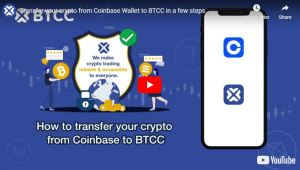
3. Transfer crypto from your cold wallet to the exchange — step by step
The following steps will guide you in transferring cryptocurrency from a cold wallet to an exchange-ready wallet:
1.Register with the exchange and finish the Know Your Customer process before sending any funds. Here you may register and confirm your BTCC account.
2.Make sure the network and token match when creating an exchange deposit address; for example, use the mainnet for Ethereum (ETH) and the same chain for stablecoins.
3. Verify the deposit address, network, and token contract (if relevant) twice. Ignorance = loss indefinitely.
4.Send a tiny amount as a test initially. Make sure it reaches the exchange before submitting any more payments.
5.Send the remaining items once the test is cleared. The button “confirm” on your hardware wallet is where you may sign.
6.Keep an eye on confirmations that occur on the blockchain. If you like certainty, you can use a block explorer.
7.You must patiently wait for the exchange to credit your balance. You are then prepared to sell.
4. Sell crypto — market vs limit order
When your money is in the exchange:
•Market order—sold instantly at the price that is currently available on the market. To be used when time is of the essence and minor price fluctuations are acceptable.
Consider dividing your order into smaller portions to decrease slippage if your token’s liquidity is low.On BTCC: Enter the amount on BTCC by going to Spot, choosing a trading pair, and then selecting Market or Limit. The user interface will display the projected costs and net amount you will receive.
5. Withdraw fiat to your bank or payout method
1. Finish the necessary payout-KYC and link your bank account or payout method.
2. Decide how you want to get your money out. The cheapest option is usually a bank transfer, although some sites also let you use cards, wire transfers, or even peer-to-peer.
3.Make sure you know the fees and limits; withdrawal limits and fees can change depending on the method and the user’s status.
4.Withdraw the money and save the receipts, transaction IDs, and bank confirmation in case you need them for accounting or tax purposes.
6. Fees, timing, and tax considerations
- Network costs, which are paid when transferring funds from a cold wallet to an exchange, are always on the blockchain. Blockchain demand determines fees.
- Typically, exchanges impose a trading fee (maker/taker) and, on occasion, a withdrawal fee for trading and withdrawals. For the most up-to-date fee schedule, see BTCC.
- Tax considerations: Crypto sales are considered taxable income in many countries, including the United States. The sale of cryptocurrency results in a capital gains (or loss) that must be reported.
- The holding time is important because ordinary income tax applies to assets kept for less than a year and long-term capital gains tax applies to assets held for more than a year.
7. Common mistakes — and how to avoid them
| Step | Action | Reason |
|---|---|---|
| 1. Verify the Exchange | Confirm you are logged into the official website/app. | Prevents phishing attacks on fake sites. |
| 2. Confirm KYC & Limits | Ensure your account is fully verified for deposits and withdrawals. | Avoids funds being locked on an exchange. |
| 3. Choose the Correct Network | Match the withdrawal network (e.g., Solana, ERC20) with your wallet’s receiving network. | Mismatched networks can cause permanent loss. |
| 4. Copy the Wallet Address | Use the copy button. Never type it manually. | Eliminates typographical errors. |
| 5. Do a Test Transaction | Send a small, negligible amount first and wait for confirmation. | Confirms the entire process works before sending the full amount. |
Why cold-to-exchange-to-fiat is safer than “direct sell from wallet”
A few hardware wallets have sell/broker connections already built in, although these typically only handle a small number of coins (like Bitcoin), have higher fees, or limit the ways you can withdraw your funds.
When you use a full-fledged exchange with withdrawal rails, on the other hand, you get:
- More assets that are supported.
- Quicker and more competitive fills, which improve liquidity.
- A wider variety of payment methods (account, card, etc.).
- A more affordable price tag (as compared to broker-based wallets, trading and withdrawal costs are typically lower).
Want to cash out quickly and securely? Start with BTCC
If you’re new and want a clear, beginner-friendly way to sell crypto from cold storage — sign up on BTCC, finish KYC, then follow the steps above. You’ll enjoy transparent fees, easy UI, and fast payout to your bank.
Once you’ve verified, come back and follow our guide — and you’ll be ready to sell your cold-stored crypto safely.
/ You can claim a welcome reward of up to 10,055 USDT🎁\
FAQs: How to Sell Crypto From a Cold Wallet
For beginners:
Cold Wallet → BTCC → Sell → Bank/USDT Withdrawal
Usually USDT-TRC20 (TRON).
Yes. Selling is typically a taxable event in most countries.
Likely low gas fee or network congestion.
Sources
1. Chainalysis — 2025 Crypto Crime Mid-Year Update
2. Ledger Academy — How to Sell Crypto with Ledger
3. Ledger Academy — Selling Crypto: How and Why Does One Do It?
4. Britannica — How Is Cryptocurrency Taxed?
5. Forbes Advisor — What Are Cryptocurrency Taxes?
6. The Motley Fool — Crypto Taxes Explained (Capital Gains Rules)
For more detailed market analysis, strategies, and educational resources, visit BTCC Academy and stay ahead of the curve in the rapidly evolving crypto space.
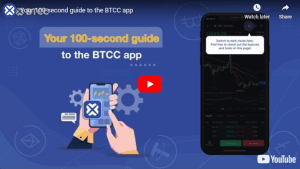
How to Trade Crypto on BTCC?
This brief instruction will assist you in registering for and trading on the BTCC exchange.
Step 1: Register an account
The first step is to hit the “Sign Up” button on the BTCC website or app. Your email address and a strong password are all you need. After completing that, look for a verification email in your inbox. To activate your account, click the link in the email.

Step 2: Finish the KYC
The Know Your Customer (KYC) procedure is the next step after your account is operational. The main goal of this stage is to maintain compliance and security. You must upload identification, such as a passport or driver’s license. You’ll receive a confirmation email as soon as your documents are validated, so don’t worry—it’s a quick process.

Step 3. Deposit Funds
After that, adding money to your account is simple. BTCC provides a range of payment options, such as credit cards and bank transfers. To get your money into your trading account, simply choose what works best for you, enter the amount, and then follow the instructions.
- Fiat Deposit. Buy USDT using Visa/Mastercard (KYC required).
- Crypto Deposit. Transfer crypto from another platform or wallet.

Step 4. Start Trading
If you wish to follow profitable traders, you might go for copy trading, futures, or spot trading. After choosing your order type and the cryptocurrency you wish to trade, press the buy or sell button. Managing your portfolio and keeping track of your trades is made simple by the user-friendly interface.

Look more for details: How to Trade Crypto Futures Contracts on BTCC
BTCC FAQs
Is BTCC safe?
Based on its track record since 2011, BTCC has established itself as a secure cryptocurrency exchange. There have been no reports of fraudulent activity involving user accounts or the platform’s infrastructure. By enforcing mandatory know-your-customer (KYC) and anti-money laundering (AML) procedures, the cryptocurrency trading platform gives consumers greater security. For operations like withdrawals, it also provides extra security features like two-factor authentication (2FA).
Is KYC Necessary for BTCC?
Indeed. Before using BTCC goods, users must finish the Know Your Customer (KYC) process. A facial recognition scan and legitimate identification documents must be submitted for this process. Usually, it is finished in a few minutes. This procedure has the benefit of strengthening the security of the exchange and satisfying legal requirements.
Because their accounts will have a lower daily withdrawal limit, those who do not finish their KYC are unable to make deposits. It should be noted that those who present a legitimate ID without a facial recognition scan will likewise have restricted withdrawal options.
Is There a Mobile App for BTCC?
Indeed. For users of iOS and Android, BTCC has a mobile app. The exchange’s website offers the mobile app for download. Since both the web version and the mobile app have the same features and capabilities, they are comparable.
Will I Have to Pay BTCC Trading Fees?
Indeed. BTCC levies a fee for trade, just like a lot of other centralised exchanges. Each user’s VIP level, which is unlocked according to their available money, determines the different costs. The BTCC website provides information on the charge rates.
Can I Access BTCC From the U.S?
You can, indeed. According to its website, BTCC has obtained a crypto license from the US Financial Crimes Enforcement Network (FinCEN), which enables the cryptocurrency exchange to provide its services to investors who are headquartered in the US.
According to BTCC’s User Agreement document, its goods are not allowed to be used in nations and organisations that have been sanctioned by the United States or other nations where it has a licence.
BTCC Guide:
- How to Trade Crypto Futures Contracts on BTCC
- BTCC Guide-How to Deposit Crypto on BTCC?
- What is Crypto Futures Trading – Beginner’s Guide
- What is Leverage in Cryptocurrency? How Can I Trade at 100X Leverage?
- BTCC Review 2024: Best Crypto Futures Exchange
Crypto Buying Guides:
- How To Buy Bitcoin (BTC)
- How To Buy Picoin
- How To Buy Ethereum (ETH)
- How To Buy Dogecoin (DOGE)
- How To Buy Pepe Coin (PEPE)
- How To Buy Ripple (XRP)
Crypto Prediction:
- Ethereum (ETH) Price Prediction 2024, 2025, 2030 — Will ETH Reach $10,000?
- Ethereum Price Prediction 2024, 2025, 2030: How High Can ETH Go in 2024?
- Bitcoin (BTC) Price Prediction 2024, 2025, 2030 — Is BTC a Good Investment?
- Ripple (XRP) Price Prediction 2024, 2025, 2030 — Will XRP Reach $1 After SEC Lawsuit?
- Pi Coin Price Prediction 2024,2025,2030 — Is Pi Coin a Good Buy?
- Pepe (PEPE) Price Prediction 2024, 2025, 2030 – Will PEPE Reach $1